
Everything for a project, from planning to handover
Boards, tasks, team calendars, deadlines and budgets. Plan in the browser and record updates from your phone.
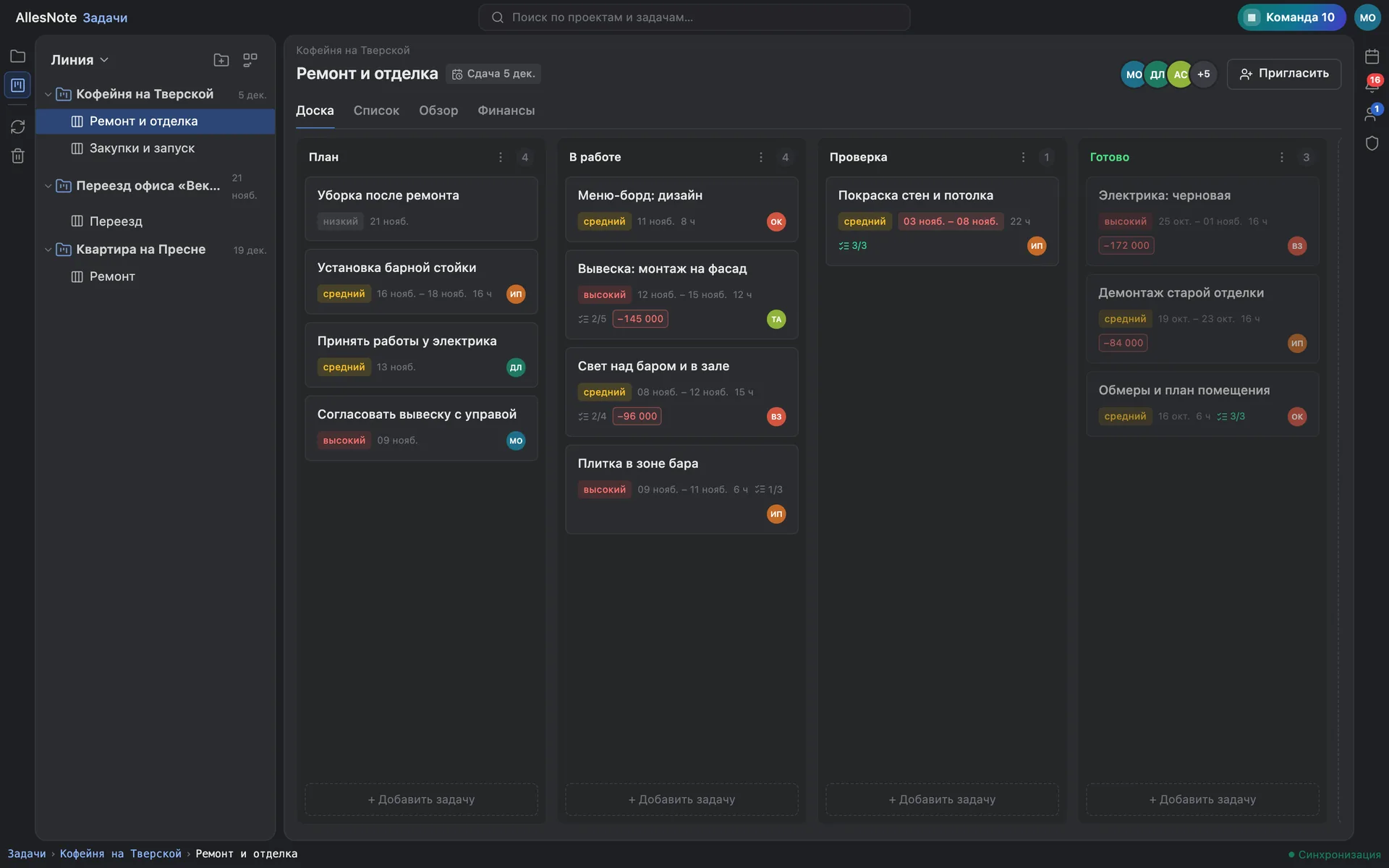
A deadline and boards for every project
Organize company work into projects and boards. Set a project deadline and define stages such as Planned, In progress, Review and Done.
- Custom columns and completion stages
- Multiple boards per project
- Board changes are visible to the whole team
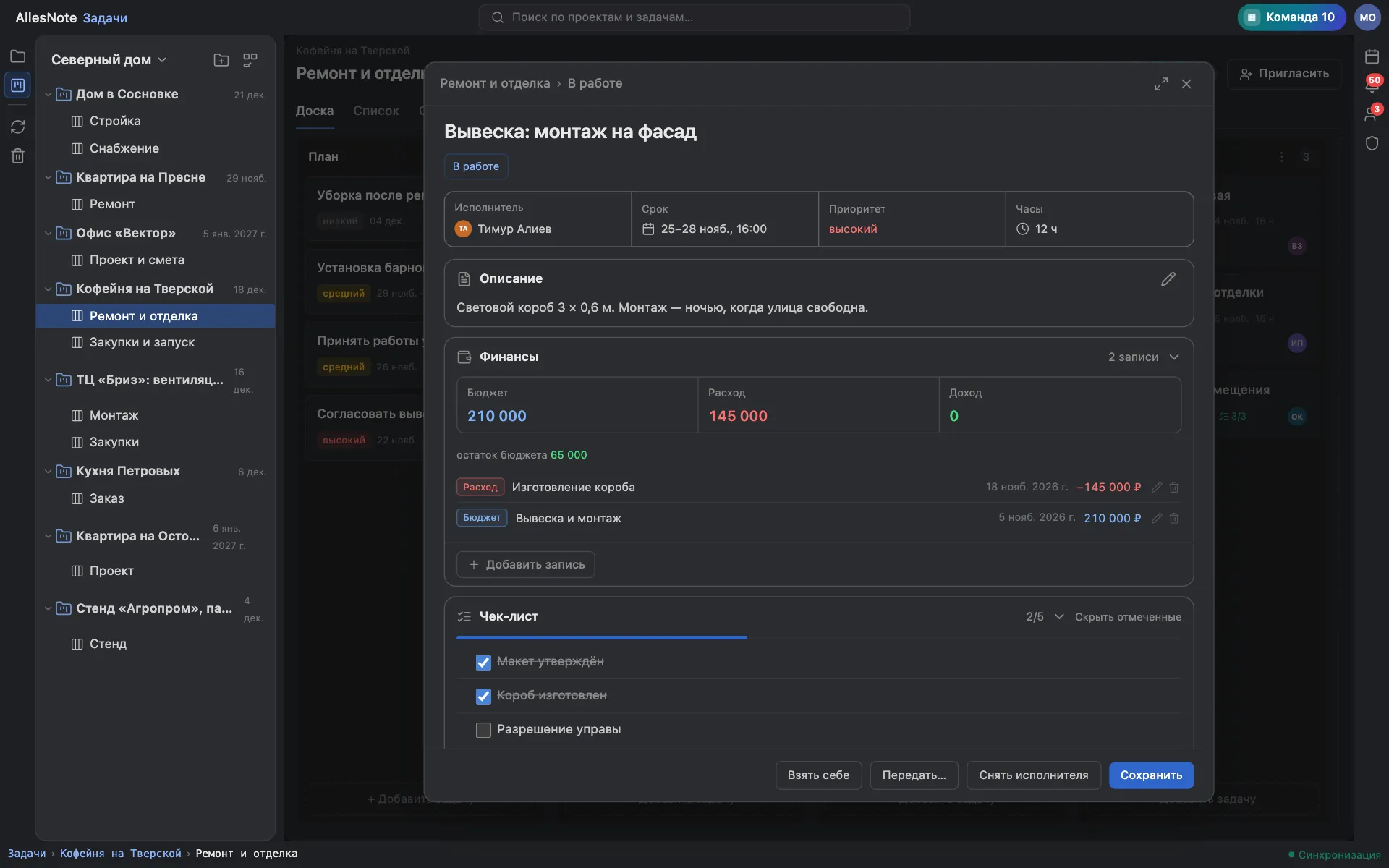
All task details in one place
Assignees, due dates, priorities, checklists, files, photos, hours, budgets, related tasks and comments.
- Paste a list into a checklist
- @mentions and notifications
- Attach photos and files to a task
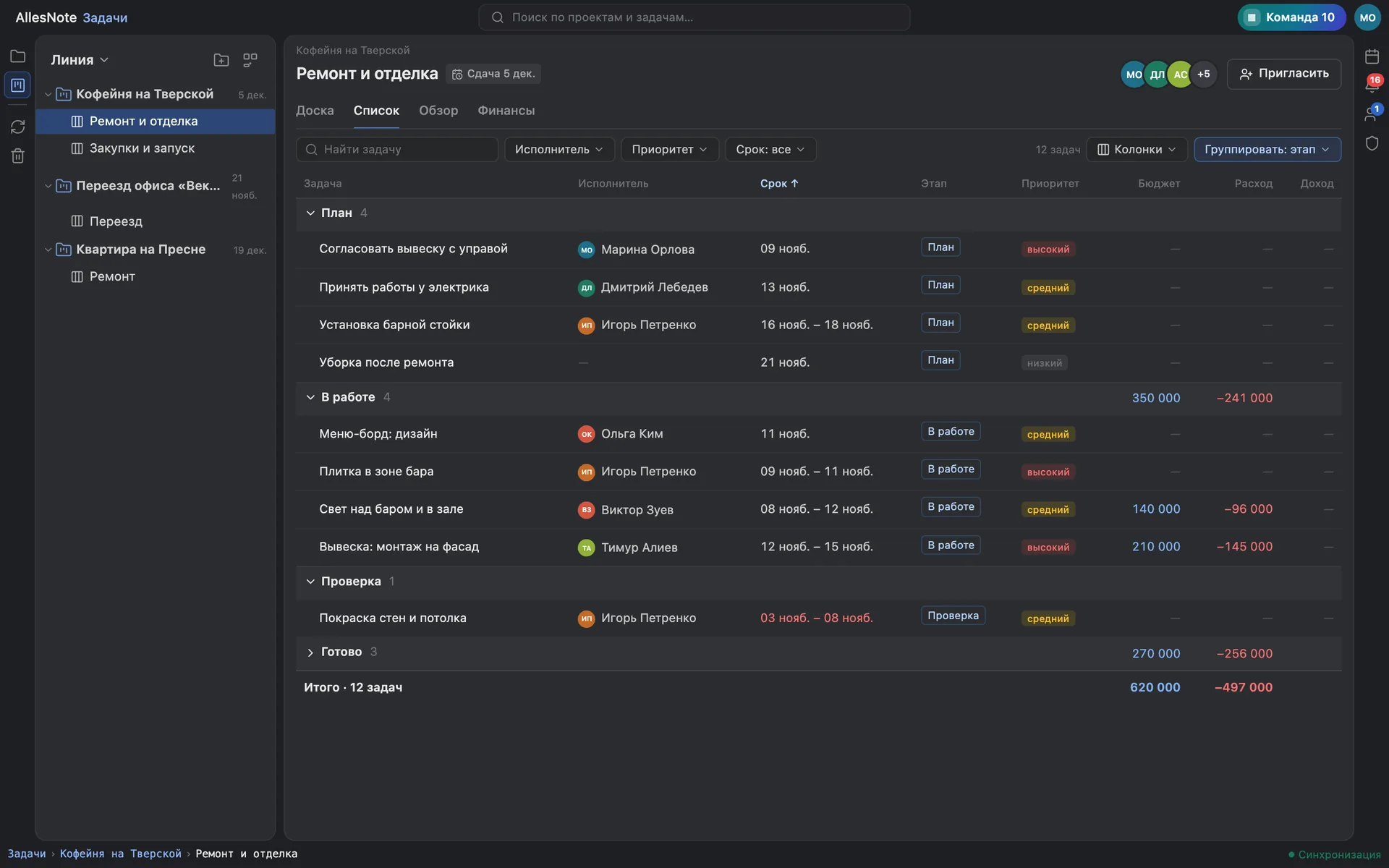
Every task in a table
View a board or the whole project in one list, with assignees, deadlines and costs.
- Filter overdue or unassigned tasks
- Group by person or stage
- Time and cost columns
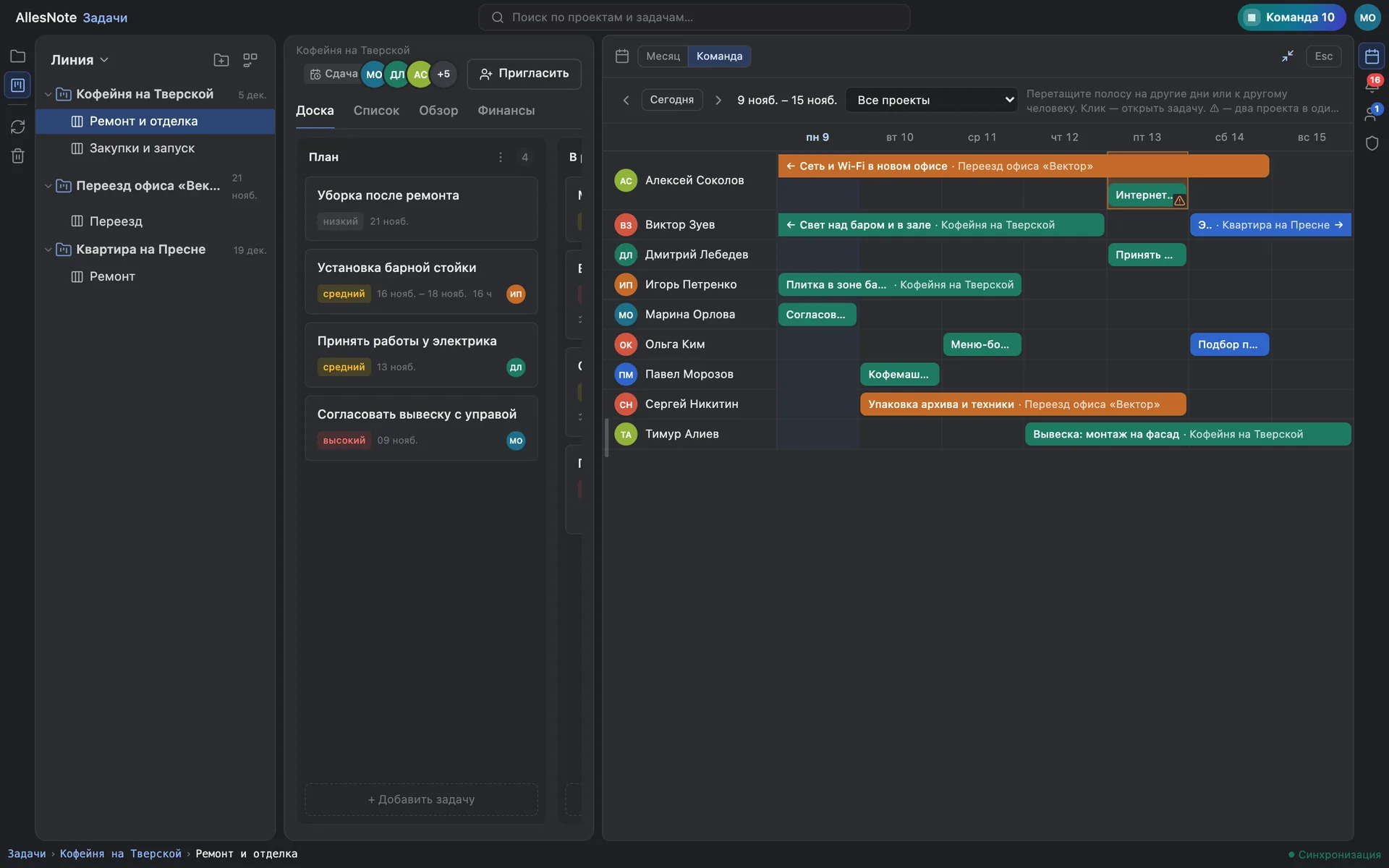
Who's doing what this week?
View assignments by person and project for the week or month. Spot conflicts before someone heads to the wrong site.
- Weekly view by person, monthly view by day
- See same-day conflicts in advance
- Drag to change dates or assignments
Mobile tasks, even offline
See today's work and previously loaded boards on your phone. Track checklists, photos, time and comments. Supported offline updates sync when you reconnect.
- iPhone and Android
- Works offline
- Update notifications
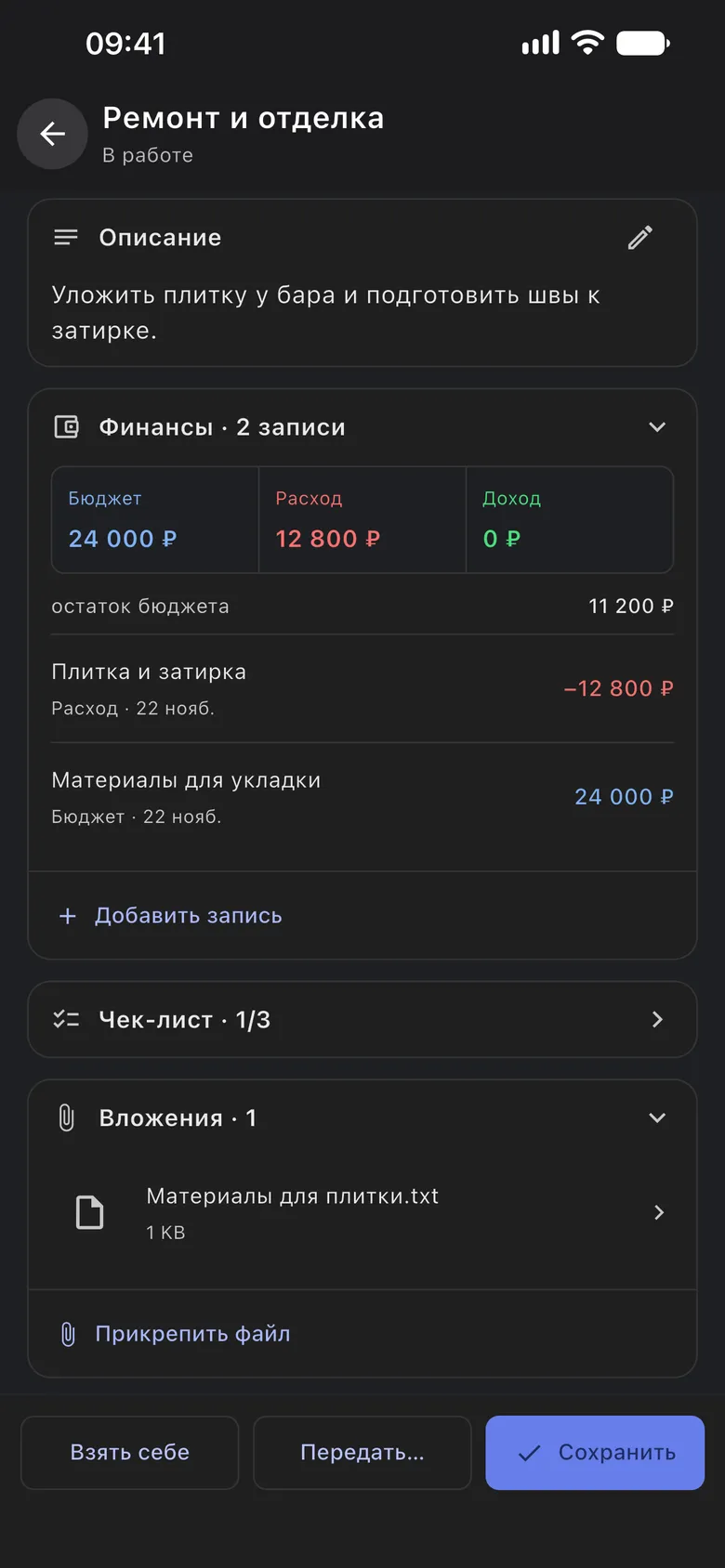
Will you meet the deadline?
See completed, overdue and stalled tasks for a project or board without calling around for updates.
- Progress toward the deadline
- Stalled and unassigned work
- Weekly team timesheet
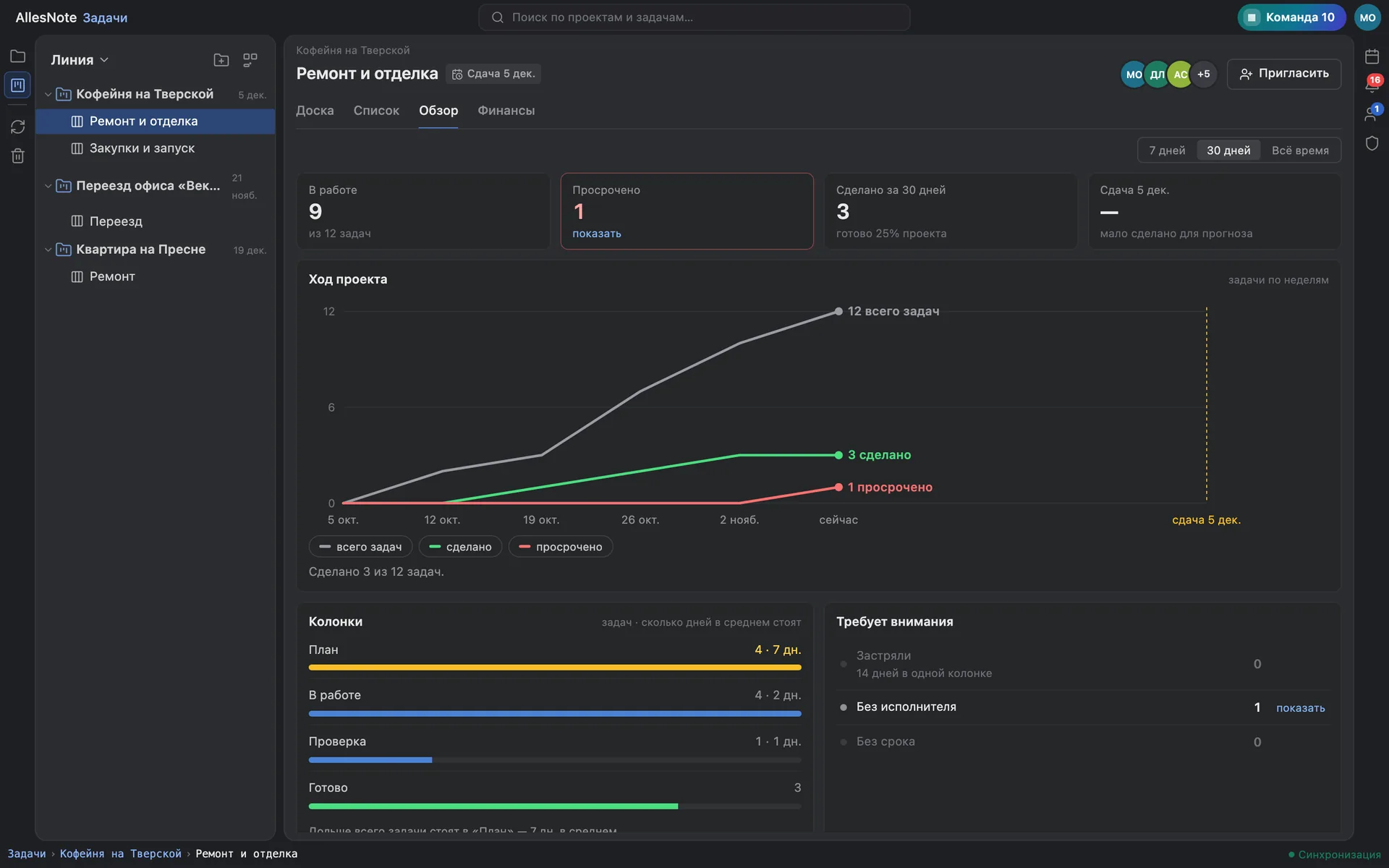
See which projects are losing money
Track budgets, spending and revenue in tasks and boards. Hours appear on tasks and timesheets. Balances and profit are calculated automatically.
- Budget, expenses and revenue
- Hours by task and person
- Only owners and admins see finances
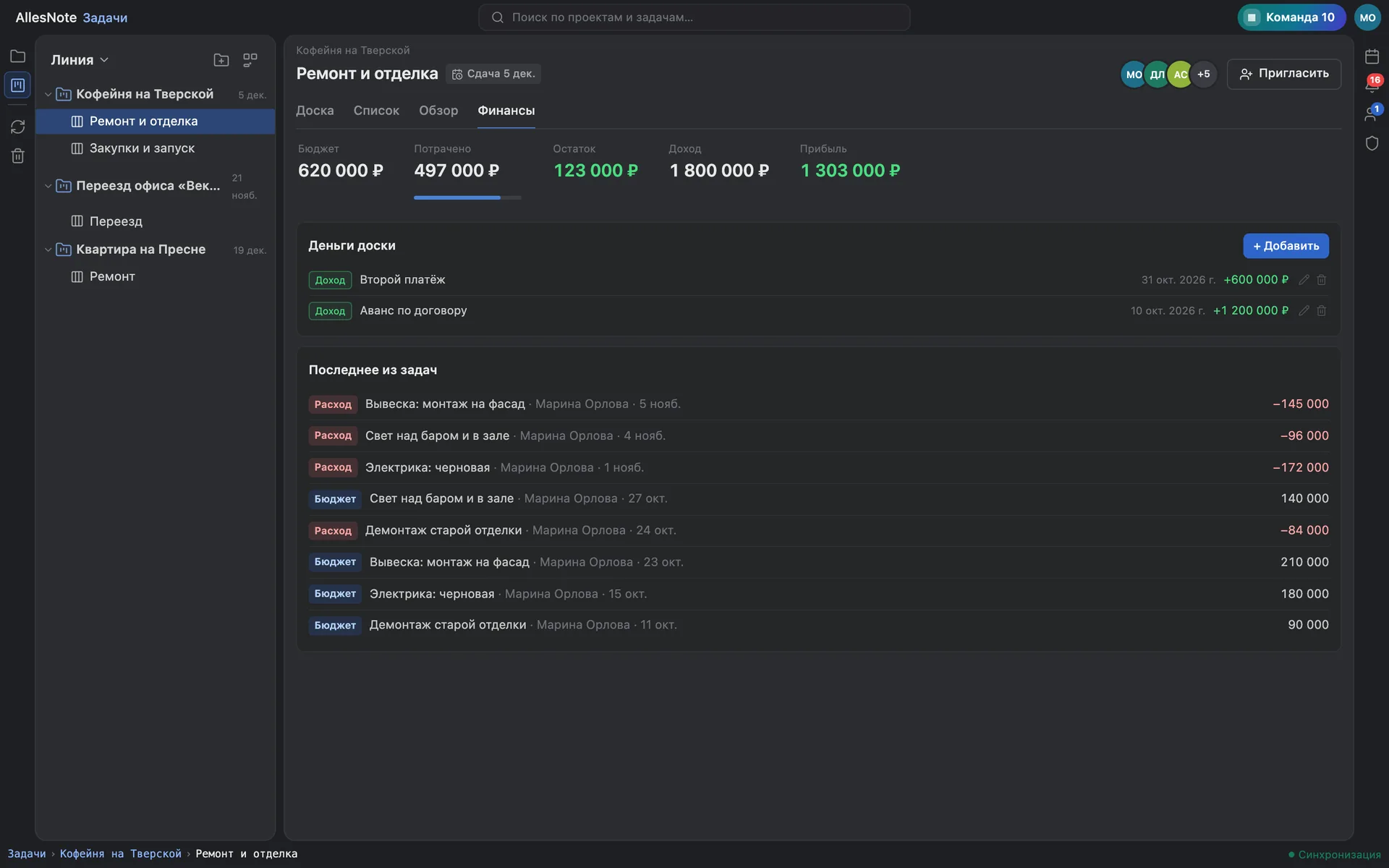
Notes for yourself and your team
Keep notes, lists and reminders on the web and mobile. Share notes, photos and files with colleagues and family using Plus.
- Available offline on mobile
- Reminders and calendar
- Team includes Plus 10 for staff
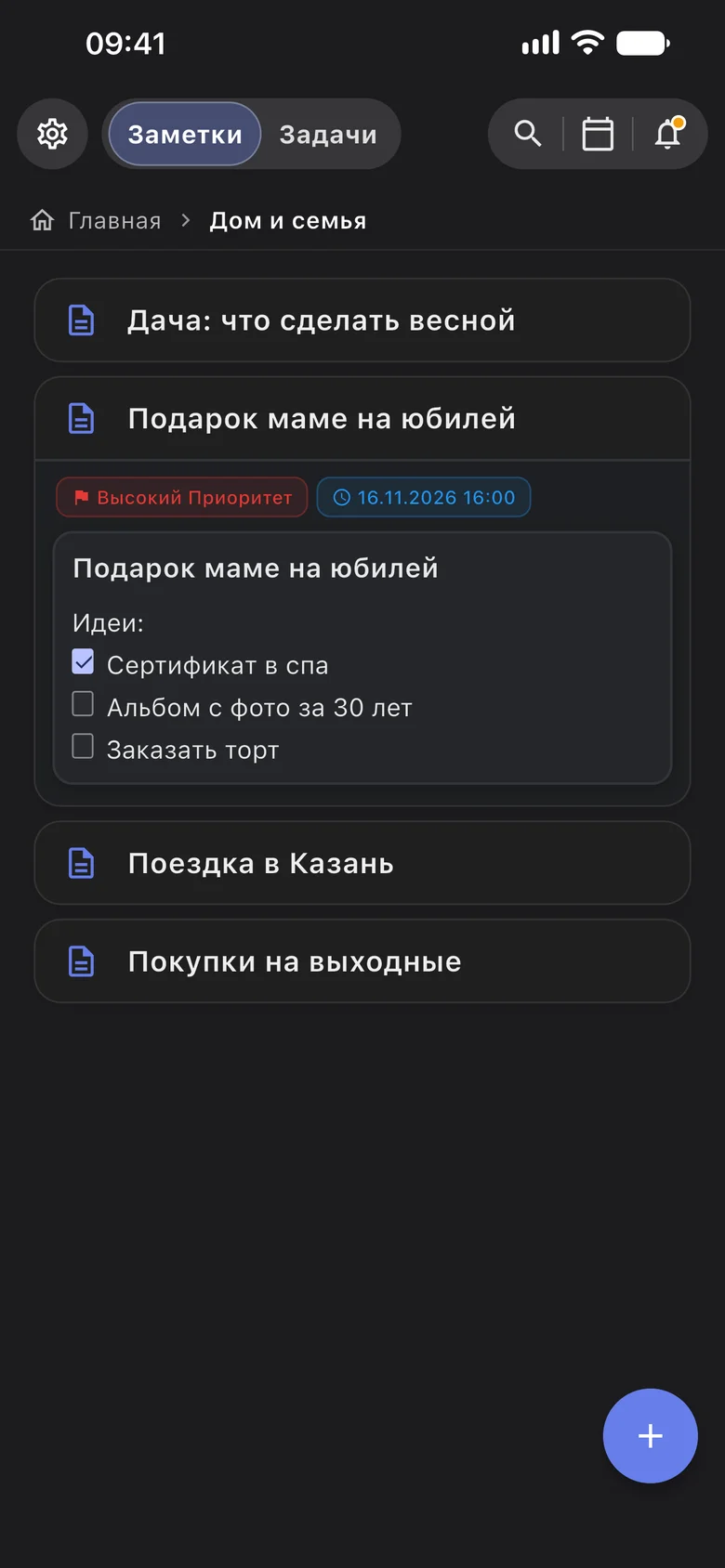
Who sees what
Owners and admins manage projects and finances. Team members see their work. Guest contractors see only their assigned tasks.
Example: a team of eight employees and three guest crews fits the 10-seat package. See pricing →
Frequently asked questions
A web and mobile app for team projects, tasks and personal notes. Keep boards, deadlines, assignments, hours and project finances together.
Try it on your own project
Start a free 14-day trial without a card. Get in touch for help setting up your project.